VirtuaVixen Starter Handbook: Clean, Realistic, and Purposeful AI Porn Videos
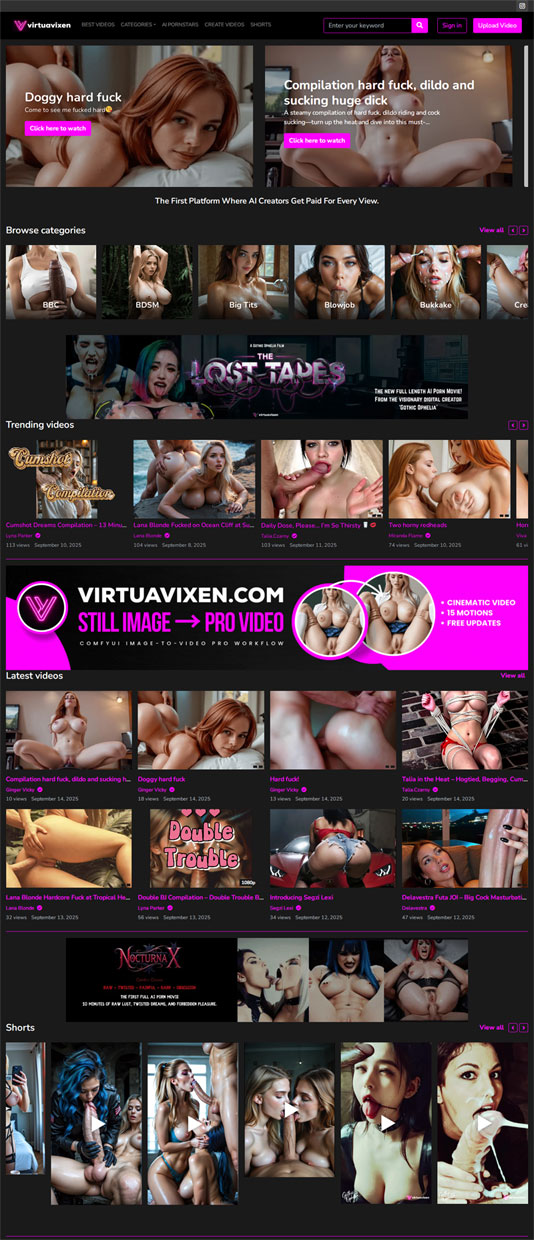 If you are new to VirtuaVixen, this handbook gives you a clear, practical path to great results. You will learn how we shape characters, keep scenes tasteful, and avoid the usual pitfalls that make AI adult content feel fake. The focus is on realism, privacy, and craft. Nothing loud. Just the process, the choices, and why they matter.
Who We Are and What We Make
VirtuaVixen is a studio and platform for refined AI erotica. We build believable characters, plan camera movement, and grade color so skin looks natural and scenes flow. We never depict or resemble minors. We do not imitate real people without explicit, documented consent. Those lines are firm.
Our library and commissions are designed for people who want quality over volume. If you care about natural faces, thoughtful lighting, and scenes that breathe, you will feel at home here. The goal is intimacy that feels cinematic, not random.
Core Terms You Will See
- Character bible: a short profile with face structure, hair references, skin undertone, and styling notes to keep a character consistent across episodes.
- Beat sheet: three to four story beats that define the arc of a scene. Open, center, close. Simple, on purpose.
- Light map: a small plan for key light, fill, and practical sources. Directional, soft light that wraps around skin.
- Color story: one palette per scene. Warm amber, neutral daylight, or cool night. Pick one and keep it steady.
How a Scene Comes Together
-
Brief
We start with a one-page brief. Mood words, wardrobe, light, color, and three beats. This keeps the work focused and prevents drift later.
-
Look development
We lock facial landmarks, hair shape, eye detail, and small identifiers like a beauty mark or nail style. That look returns in future episodes.
-
Motion plan
We outline small, readable moves. A slow turn, a step forward, a hand through hair. The camera follows with pans or a gentle push in.
-
Generation and curation
We over-generate so we can curate hard. Frames with weak eyes, hands, or edges are removed. A few surgical re-renders fix outliers.
-
Grading and sound
We grade to the chosen palette and keep skin tones consistent. Soft ambience supports the mood without taking over.
What Makes Faces Feel Real
Faces sell the illusion. If eyes are misaligned or lashes float, the spell breaks. We review eyes, lids, brows, and lips first. Slight asymmetry helps. Overly perfect faces can look plastic. We keep texture where it matters and avoid harsh light that flattens features.
Hands, Fabric, and Fine Edges
This is where many clips fail. Fingers should articulate cleanly, nails should be even, and rings should sit on the finger, not melt into it. Lace, hairlines, and jewelry must hold shape. We check these at 100 percent zoom. If they pass here, the shot likely holds up in motion.
Light That Shapes, Not Washes
Flat light makes skin look fake. Harsh light creates hard edges and blink lines. We favor soft, directional light with a visible source: window light, a shaded lamp, or a diffuse practical. The key to fill ratio protects texture while keeping the scene calm.
One Palette Per Scene
Color discipline is a quiet superpower. Mixed temperatures make skin shift between shots. We choose warm amber, neutral daylight, or cool night and hold it. This steadiness makes motion feel smoother and the edit more coherent.
The Five Checks Before Export
- Eyes aligned and alive
- Hands and nails in shape
- Edges on lace, hair, and jewelry stay crisp
- Wardrobe and props do not jump across cuts
- Skin tone consistent from first frame to last
VirtuaVixen vs. Typical AI Generators
| Area | VirtuaVixen approach | Common shortcut |
|---|---|---|
| Character stability | Seed control and bibles for repeatable looks | Face and hair drift scene to scene |
| Lighting | Directional light that preserves skin texture | Flat or blown highlights |
| Color | One palette per scene with calibrated grading | Mixed temperatures and tone jumps |
| Motion | Three-beat arcs and planned camera paths | Jumpy cuts and confusing angles |
| Cleanup | Over-generate, curate, and patch outliers | Single-pass exports with visible glitches |
Commissioning Without the Guesswork
You do not need to be technical. A clear brief is enough. Use the template below and swap details to taste.
Style: soft studio; calm, intimate pace
Character: brunette, soft waves, subtle liner, neutral lip; faint freckle on left cheek
Wardrobe: satin slip; minimal jewelry
Light: warm lamp glow from the side; low fill to keep shape
Color: warm amber held steady across the scene
Beats: look up and smile; slow step forward; quiet close facing camera
Camera: gentle push in on the center beat
Formats We Deliver
- Video: platform-friendly MP4 with options for 1080p and higher where supported
- Loops: short MP4 segments tuned for smooth repeat
- Stills: high-resolution JPEG or PNG with consistent aspect ratios
- Naming: organized by character, set, and date for easy library building
Privacy, Consent, and Takedowns
Adults only. No exceptions. We do not allow likeness of real people without explicit permission and proper rights. You control visibility for commissions: private, limited share, or public when ready. If a report flags a concern, we review and act quickly. Safety is a baseline, not a toggle.
How Fans Actually Use VirtuaVixen
- Start with a curated set to learn a character’s face, posture, and color story
- Commission a short scene built around one outfit and one palette
- Build a small series with a returning character and seasonal looks
For Creators and Brands
Creators lock a signature look once and extend it across stills, loops, and longer edits. This makes portfolios feel like a cohesive body of work. Brands request rights-clean assets with documentation and style kits so campaigns remain consistent across channels.
Common Questions
Is VirtuaVixen the same as a generic generator
No. We plan, curate, and grade with intent. The process favors realism and continuity. The result is calmer, more believable scenes.
Can I request a very specific look
Yes. You can define hair, makeup, wardrobe, camera distance, and pacing. A small moodboard helps. We refine the brief with you before production begins.
How private can my commission be
As private as you prefer. Keep it private, share with a small audience, or publish later. Optional watermarking is available.
What should I check first when judging quality
Start with eyes, hands, and edges. If these pass a close-up test, the shot likely holds in motion. Then check color steadiness across cuts.
Keyword Guide for Clarity
People often search in broad terms. We keep usage clear and honest. VirtuaVixen, VirtuaVixen AI porn, AI porn, and AI porn videos refer to our studio, our original sets, and the wider category of computer-generated adult visuals. The point is to help the right audience find the right work, not to stuff a page with repeated phrases.
Quick Field Notes You Can Save
- Pick one palette and hold it
- Limit props to two; clutter distracts from the face
- Write beats first, then choose camera moves
- Check eyes, hands, and lace at 100 percent zoom
- If a shot is almost right, replace it
Start Simple and Grow
The strongest first commission is small. One outfit, one palette, three beats. Learn the workflow. Then extend into a short series with the same character. When you come back later, the face, the posture, and the light will feel like a familiar world.
Where to Begin
Explore a curated set to find a mood you like. If you already have a look in mind, send a short brief. We will help you refine it and deliver a clean, believable cut. You do not need to be technical. If you can describe a mood and a look, we can translate that into a finished scene.
Direct access: https://virtuavixen.com/